One click, five steps, no unattended path to air
Auto-Enrich is the part of MediaBlaze that replaces a writer, a voice booth and an assistant editor. It is also the part that most deserves scrutiny, so this page walks the entire run — including where it stops, what it costs, and what it refuses to do.
The clip is inspected, not guessed at
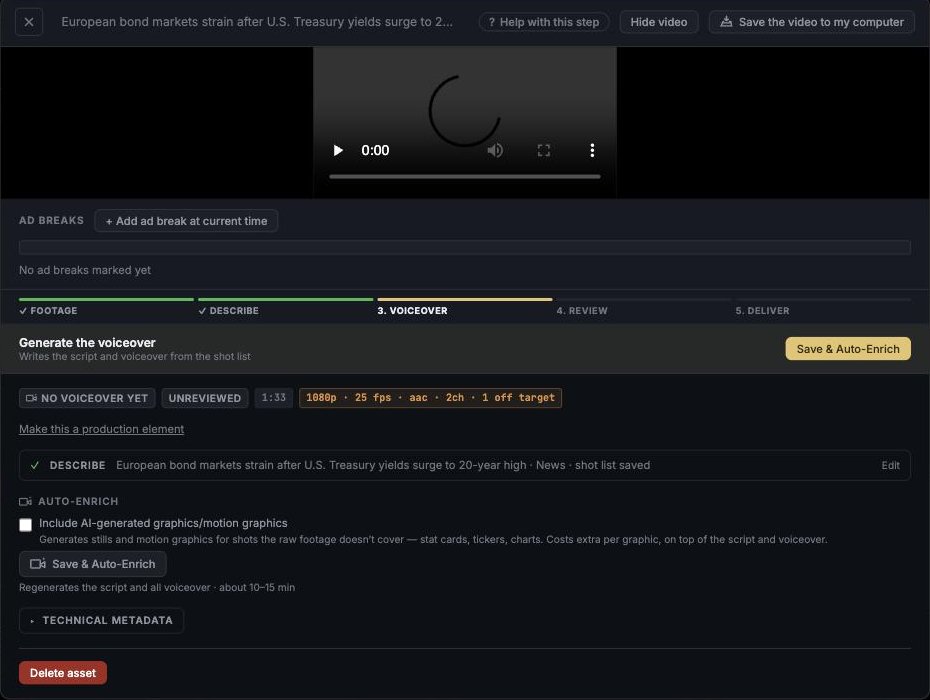
Before anything is written, the media is probed for what it actually is — codec, resolution, frame rate, audio layout, duration. Those values show on the clip as plain badges, because half the failures in a broadcast pipeline are a file that was never what somebody assumed.
- Duration drives the ad breaks. The moment it is known, cue points are seeded every 8 minutes.
- Nothing is re-encoded behind your back at this stage or any other.
You write the shot list. This is the important part.
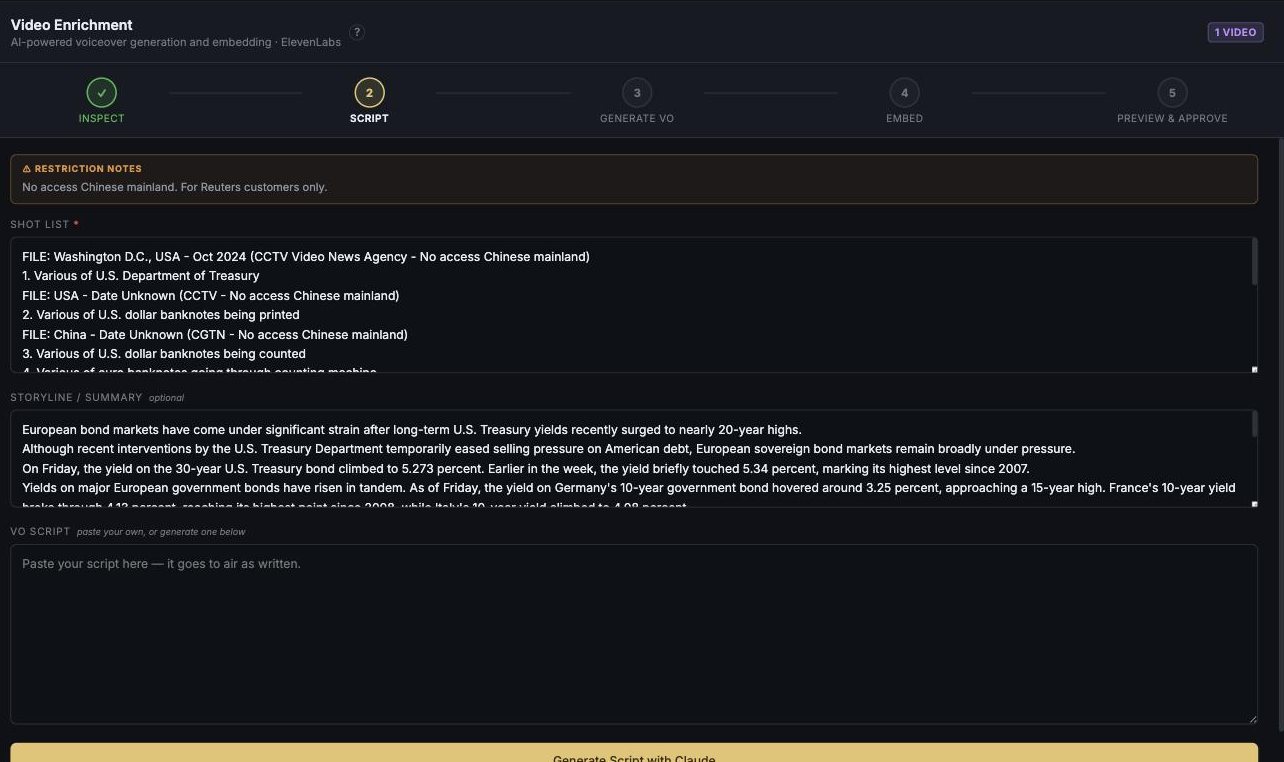
And the agency's usage restrictions are shown right here, against the clip, at the moment somebody writes to it — "No access Chinese mainland. For Reuters customers only." Licence terms are no use filed in an email.
A few lines describing what happens on screen, in order. That shot list is the only thing the narration is written from — the model does not watch the footage and decide what the story is.
- Rough notes are enough to start. An AI draft can turn them into a timestamped shot list, which you then edit. It reads no video and saves nothing on its own.
- Save is a promise. The run commits your shot list first and dispatches second, so a run never narrates the previous version.
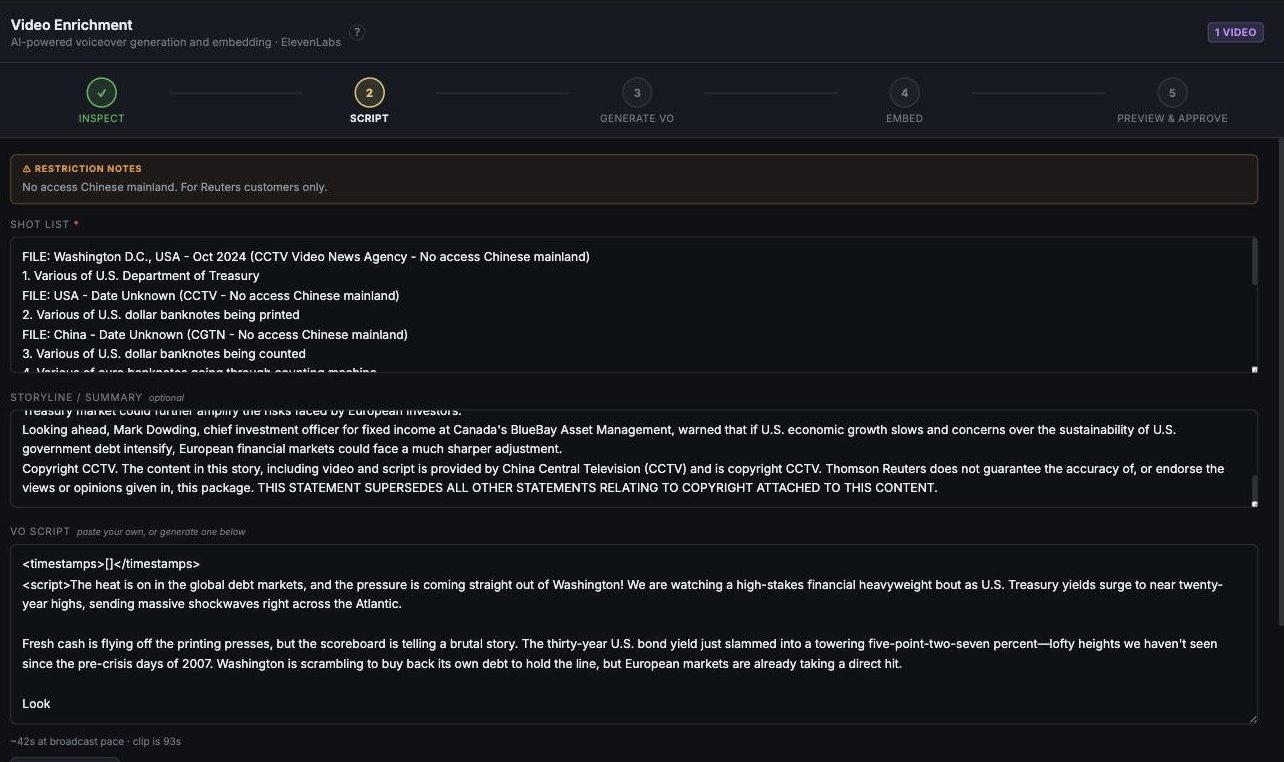
- Or skip the AI entirely and paste your own script — the clip is then badged Your script, and the voice reads what you wrote.
Script, optional graphics, voice, mix
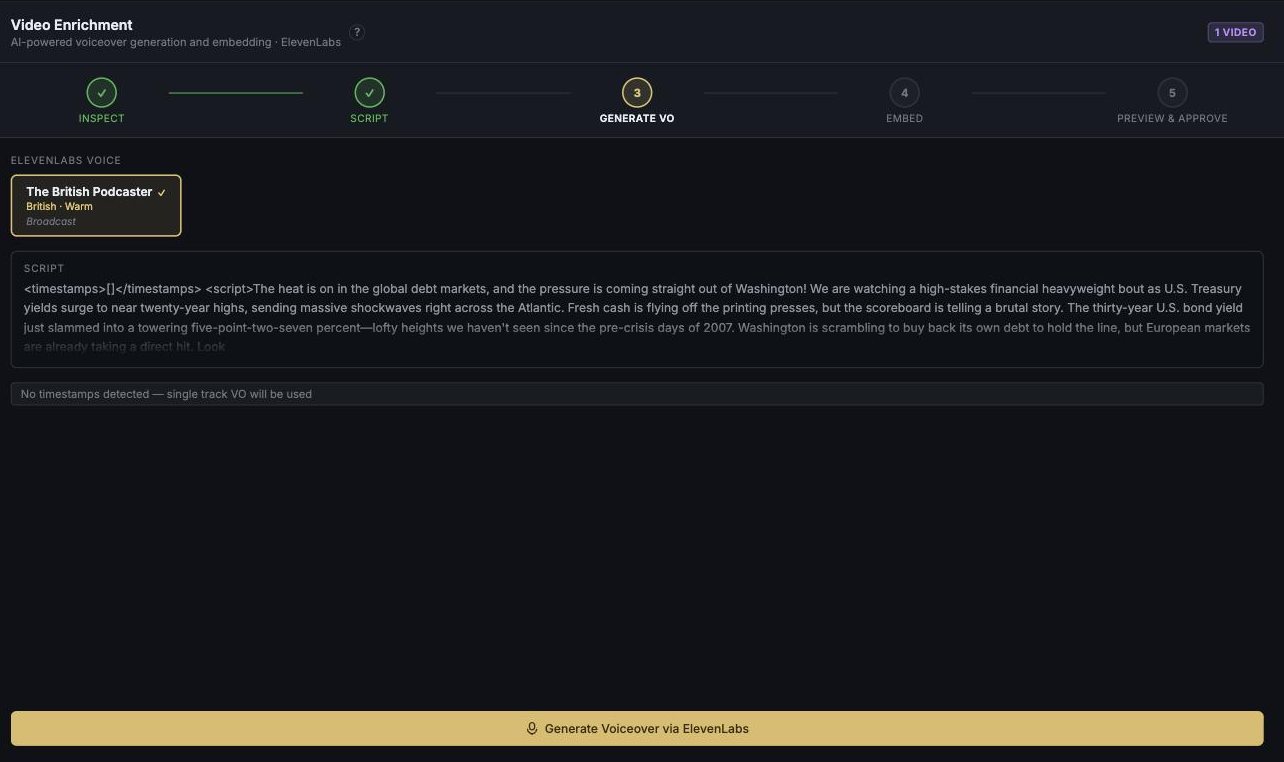
One dispatch runs the rest: the script is written from your shot list, optional graphics are generated for shots the footage doesn't cover, the voiceover is recorded, and the audio is mixed into the video with natural sound attenuated underneath.
- Graphics run before the voice, deliberately — a graphics failure has then not yet spent voice credit.
- Graphics are opt-in and priced in the open. The checkbox says it costs extra per graphic, on top of the script and voiceover, before you tick it.
- The cost note is always visible, never a tooltip: regenerates the script and all voiceover · about 10–15 min.
- A refusal is reported as a refusal. If a provider declines the content, it says so and tells you a retry won't help.
- Choose the voice. The read is picked from named broadcast voices — and once chosen it is the same voice at 3am as at 9am, which is most of why a channel sounds like a channel.
- The script is measured against the clip before anything is recorded: length at broadcast pace against the footage's real duration, so a script that would run short is visible while it is still cheap to fix.
Where it stops
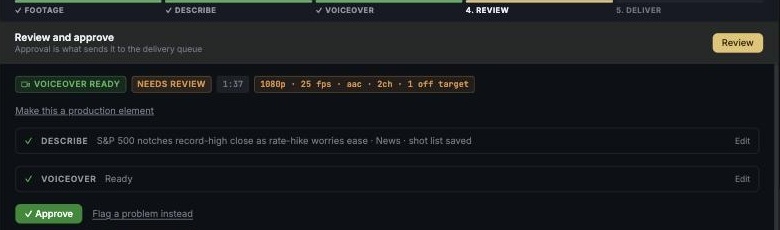
The run does not finish. It halts at the voiceover approval hold and the worker exits — nothing sits open on a timer, and nothing proceeds because a queue drained. A person listens, and then either approves and mixes it in, or sends the voice back.
- Approval is what creates a package. There is exactly one control that does it and a person operates it.
- Approve, edit, or kill — and Flag a problem instead is a first-class option, not buried.
- Generated overlays stay marked with an amber border in the editor, permanently, so nobody loses track of what the machine made.
Worth saying plainly: generated graphics have no separate approval step of their own in this version. The amber border is the safeguard. We would rather write that here than imply a review that doesn't exist.
Running the whole queue
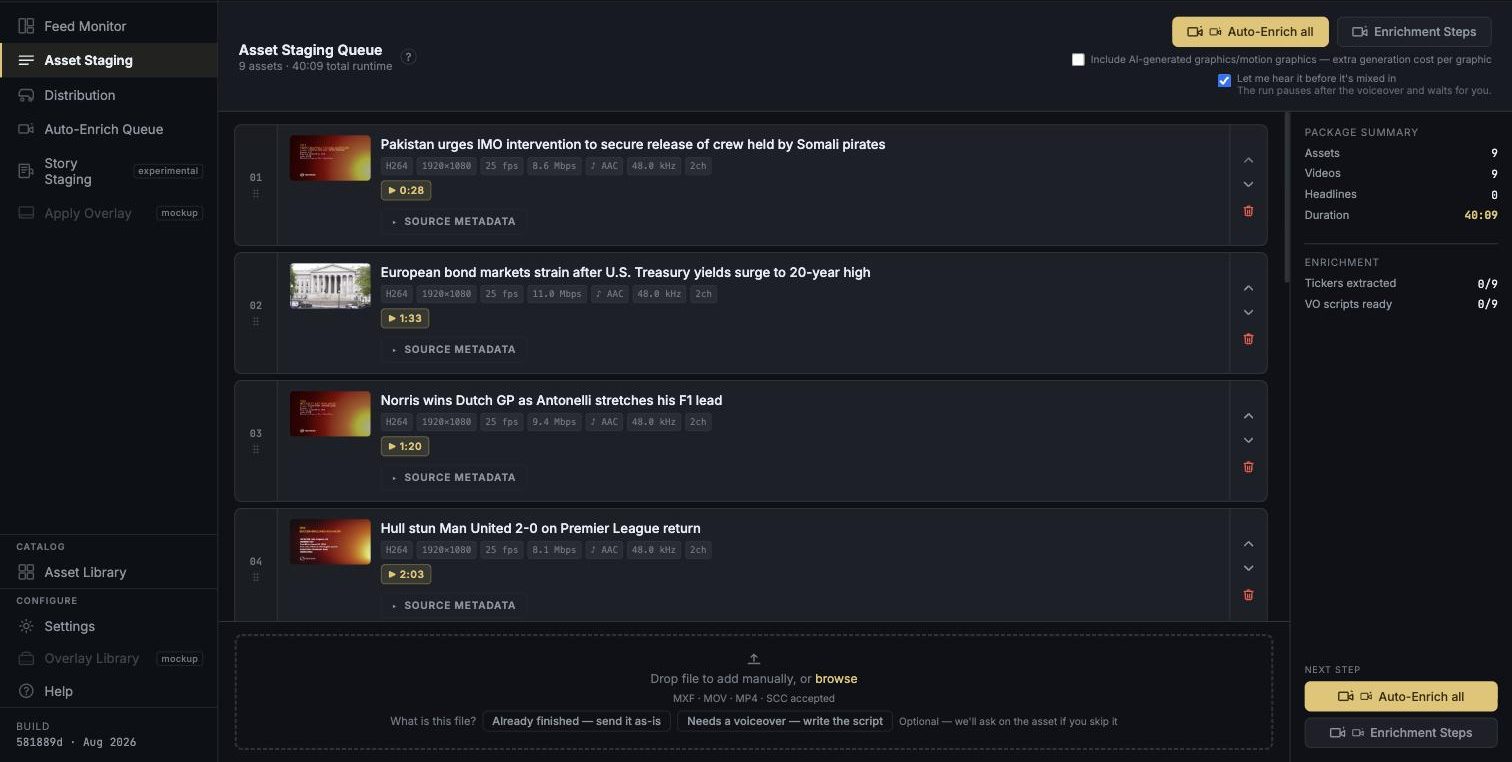
The same run, dispatched across everything on the screen — with the bill stated first.
It states the split first
"5 of 7 clips will be Auto-Enriched", and it names every clip it will skip with the reason — media not ready, already enriching, no shot list yet. Never a bare "2 skipped".
Per clip, not per batch
The cost note pluralises honestly: about 10–15 minutes per clip. They run in parallel rather than queued behind one another, so ten clips is wall-clock, not ten times the wait.
Your keys, your bill, itemised
Claude or Gemini for scripts, chosen per team on your own key. A per-run ledger records the provider, the model and which account was actually billed — visible in Settings, not discovered on an invoice.