Everything between a wire story and a scheduled package
Most tools in this category do one stage. MediaBlaze does the whole chain: the clip arrives from an agency wire, gets a script written to your shot list, gets a voiceover recorded and mixed in, gets assembled and marked for ad breaks, and arrives at your playout platform as a package that can actually be scheduled. No second tool in the middle, and no file leaving the pipeline to be brought back later.
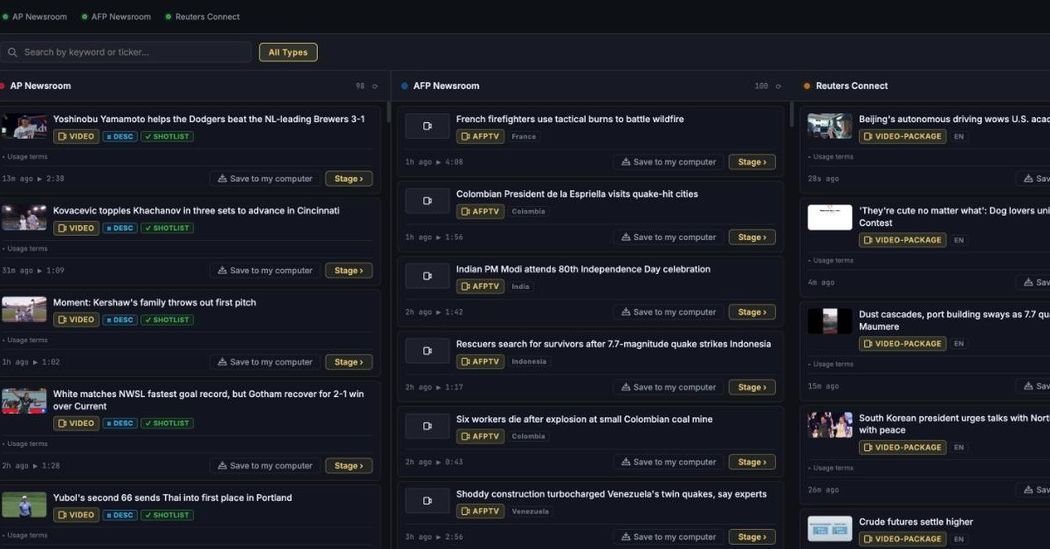
The wires arrive in one monitor
AP Newsroom, AFP Newsroom and Reuters Connect, searched together, paged independently, with a health dot per agency so a dead feed is visible before a producer discovers it. Stage › is the entire import — no download, no re-upload, no filename discipline.
- The queue holds ten clips, enforced server-side. A full queue says so and offers the queue, rather than failing on submit.
- Nothing is staged twice. An item another team already pulled reads Already in MediaBlaze.
- Your own footage too — MXF, MOV, MP4 and SCC, with multipart upload above S3's 5 GiB single-request ceiling.
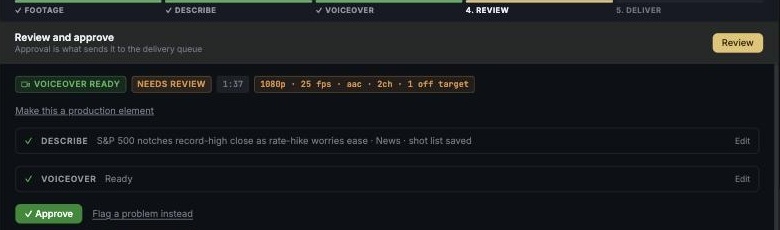
The script is written to your shot list
This is the part worth being precise about. MediaBlaze does not watch the video and decide what the story is. You write the shot list — a few lines describing what happens on screen, in order — and the narration is written to it. The operator keeps editorial authority; the machine does the typing and the voice.
- Five ordered steps: inspect, script, graphics, voiceover, embed. Graphics runs before voiceover so a failure there hasn't yet spent voice credit.
- Audio mixed for air — natural sound attenuated under the narration, optionally ducked, both baked into one stereo pair.
- It stops before air. The run halts at a voiceover approval hold and the worker exits. Approve and mix it in, or redo the voice.
- Or write it yourself — paste your own script and the clip is badged Your script instead of AI Generated.
Clips become a segment
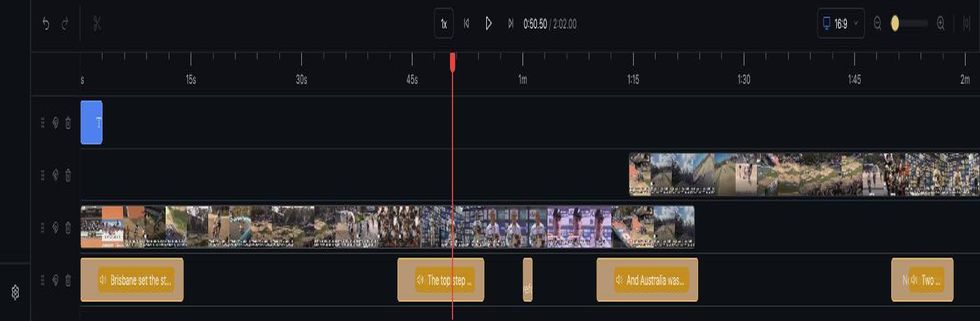
Tick the clips you want in the order you want them, and a timeline opens in a new tab with them already laid out. Trim, reorder, retime the voiceover against the real footage, drop in the channel's own furniture, and render — the result comes back into the library as an asset, badged Composed, on the same road to air as everything else.
- Voiceover on its own track, so a timing change doesn't cost you a re-record.
- Your channel's furniture, reusable — slates, bumpers, transitions, lower thirds and bugs live in a team-wide element library.
- AI graphics are visibly AI — anything generated carries an amber border, so nobody confuses it with the agency's pictures.
- An escape hatch to Premiere when a story needs a human editor: an AAF bundle with narration and natural sound on separate tracks.
A package a playout system can schedule
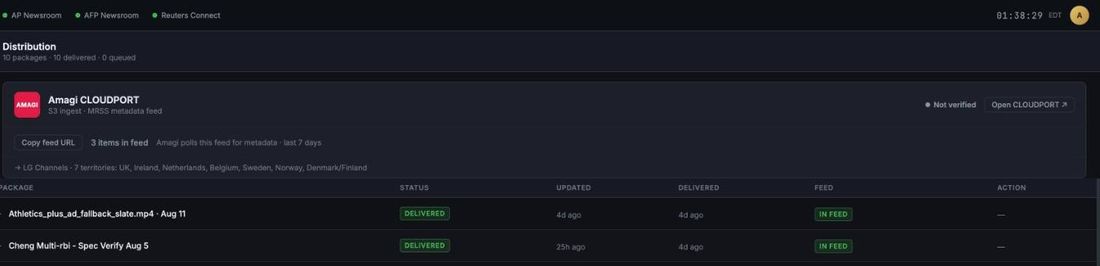
A file handed to a broadcast platform with nothing attached does not air. MediaBlaze sends both halves: the video into the platform's ingest storage, and a feed entry describing what it is, how long it runs and where its ad breaks fall. They are paired on the delivered filename, and neither half is any use alone.
- Ad-break cue points are pre-filled, one every 8 minutes once duration is known, with the platform's 4-minute minimum gap enforced rather than discovered at ingest.
- Pre-flight checks before you send — bitrate, resolution, sample rate, scan type. Detection only: it tells you, it never silently re-encodes.
- Confirm before air. Delivery cannot be recalled, so it asks once, plainly, and says so.
- A delivery log with timed steps, so a failure names the step it failed at.
The whole pipeline, not a piece of it
What a buyer usually has to assemble from three vendors and a freelancer — ending where your playout partner begins.
Ingest
- AP Newsroom, AFP Newsroom and Reuters Connect built in
- One search across all three agencies
- One-click staging — no download / re-upload
- Your own uploads: MXF, MOV, MP4, SCC
- Multipart upload above 5 GiB
- Feed health indicator per agency
- Agency origin recorded on every asset
- Global de-duplication across teams
Enrich
- Script written from your shot list
- AI draft of a shot list from rough notes
- Synthesised broadcast voiceover
- Natural sound attenuated and optionally ducked
- AI graphics for shots the footage lacks
- Write the script yourself and skip the AI
- Batch runs with a named skip list
- Claude or Gemini, on your team's own key
- Per-run AI spend, and which account paid
Assemble
- Frame-accurate browser timeline
- Frame-level ruler and playhead
- Multi-clip compositions
- Slates, bumpers, transitions, lower thirds, bugs
- Voiceover on its own track
- Generated overlays marked in amber
- Serverless rendering back into the library
- AAF export for Premiere, split audio
- Generate a production element with AI
Break & package
- Ad-break cue points on every asset
- Default break every 8 minutes
- 4-minute minimum gap enforced
- Pre-flight conformance checks before send
- Blocking findings overridable, with a record
- Confirm-before-air on every delivery
- Approval required before packaging
Deliver
- File delivery into Amagi CLOUDPORT ingest
- MRSS feed with
amagi:cuePoints - Delivery log with timed steps
- Status per package, failure named at its step
- Withdraw from the feed after delivery
- Slates stay in the feed indefinitely
- Stalled-work detection
Run it as a team
- Per-team isolation of assets and credentials
- Admin and member roles, invitations, revocation
- Google sign-in
- Slack: library, delivery, alerts, new in feed
- Stage a story straight from Slack
- In-app help that knows the screen you're on
- Answers drawn only from the shipped guide